GitHub Recon — The Underrated Technique to Discover High-Impact Leaks
Master the Art of Finding API Keys, Credentials and Sensitive Data in Public Repositories
7 Phases30+ CommandsCopy Ready
Introduction
Reconnaissance is the foundation of any successful bug bounty journey and one of the most overlooked goldmines is GitHub. Developers often unknowingly push sensitive data into public repositories, giving ethical hackers a powerful vector to uncover secrets, tokens, credentials and much more.
In this article, I'll walk you through manual and automated techniques to extract valuable data from GitHub. We'll use filters, dorks and tools — everything you need to perform impactful recon using only open-source intelligence (OSINT).
Phase 1
Basic Search Tactics
Start by heading over to GitHub.com and typing your target domain along with a sensitive keyword in the search bar.
Simple Keyword Search
1Search GitHub for "password" related to a domain
"example.com" passwordJSON-Formatted Keyword Searches
To make the results more relevant, format your keyword like a JSON key-value pair. Why? Because secrets stored in JSON often follow a predictable key-value pattern. This helps filter out noise and lets you focus on the juicy stuff — credentials, API keys and access tokens.
2JSON-formatted keyword search for precise results
"example.com" "password":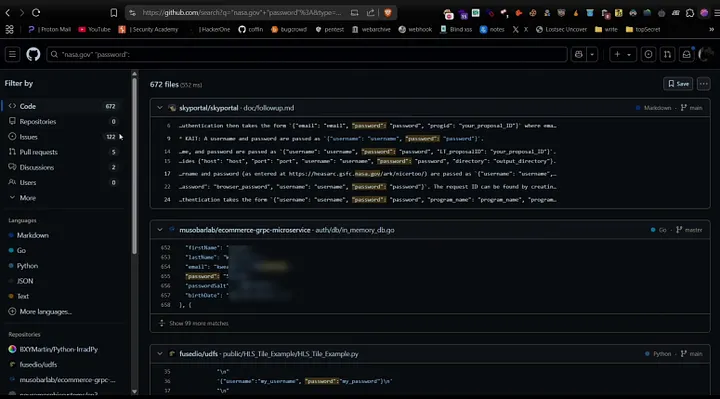
You'll immediately notice a smaller set of results but each is more precise, containing values like:
JSON
"username": "admin",
"password": "supersecret123"
Use org: Filter for Official Repositories
If your target has a public GitHub organization use the org: filter.
3Search within a specific GitHub org
org:example 'password':Phase 2
Custom GitHub Dorks
To save time use a custom GitHub dork with logical operators: AND, OR
4Multi-keyword dork with logical operators
"domain" AND ("api_key" OR "secret" OR "password" OR "access_token" OR "client_secret" OR "private_key" OR "AWS_SECRET_ACCESS_KEY" OR "DB_PASSWORD" OR "slack_token" OR "github_token" OR "BEGIN RSA PRIVATE KEY")Phase 3
Filtering by Path, Language and File Type
During reconnaissance, filtering by path, language and file type helps narrow down valuable targets. Below are some common filters to use:
filename: Search by specific file names (e.g. filename:.env)
extension: Filter by file type (e.g. extension:json)
path: Search within specific directories (e.g. path:/config)
org: Limit results to an organization (e.g. org:my-company)
repo: Focus on a specific repository (e.g. repo:my-project)
1. Filename: — Search by Specific File Name
5Find .env files containing DB_PASSWORD
filename:.env "DB_PASSWORD"2. Extension: — Filter by File Type
6Search JSON files for access tokens
extension:json "access_token"3. path: — Search Within Specific Directories
7Find database.php inside /config
path:/config filename:database.php8Target the WordPress config file
path:/wp-config.php9Look in typical config directories
path:/src/secrets10Look in typical settings directories
path:/settings11Search hidden .ssh folder
path:/.ssh12Search hidden .git folder
path:/.git13Find .env files in any nested directory
path:**/.env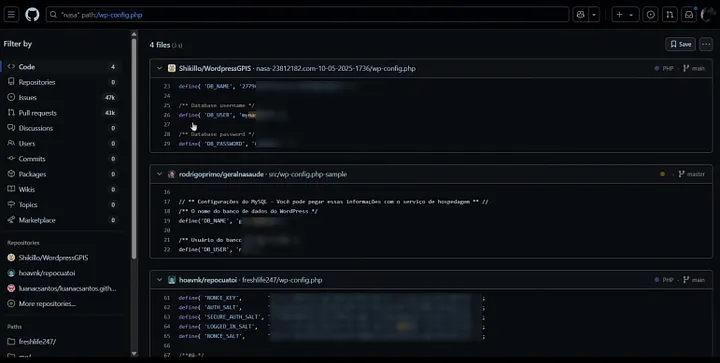
4. repo: — Focus on a Specific Repository
14Search config.js within a specific repo
repo:vercel/next.js filename:config.jsBonus: Combine Filters for Maximum Precision
Find files that contain both “password” and “domain” keywords anywhere within a specific language, such as .php, .jsp or .asp.
15PHP files containing domain and password keywords
"domain" language:PHP passwordNote: Many of these credentials are committed by random developers. It's crucial to confirm if they belong to your target's assets before reporting.
Phase 4
Advanced Keyword Search & Validation
Keyword Variations
Don't just search for “password.” Try variations like:
passwordpasswdpwdpass
Authentication & Secrets
api_keyaccess_tokenclient_secretauth_tokenauthorizationTokenx-api-keysecretSECRET_KEYsecret_tokencredentialstokensecure
Cloud Provider Secrets
AWS_SECRET_ACCESS_KEYAWS_ACCESS_KEY_IDaws_access_key_idaws_secret_keyaws_tokenGCP_SECRETgcloud_api_keyfirebase_urlshodan_api_key
Database Credentials
DB_PASSWORDDATABASE_URLdb_passworddb_passMYSQL_PASSWORDPOSTGRES_PASSWORDmongo_urimongodb_password
SSH & Private Keys
BEGIN RSA PRIVATE KEYBEGIN OPENSSH PRIVATE KEYBEGIN PGP PRIVATE KEY BLOCKid_rsaprivate_keypem privatekey
Service-Specific Tokens
slack_tokendiscord_tokengithub_tokengitlab_tokentwilio_auth_tokenmailgunstripe_secretSF_USERNAME salesforce
You can explore more powerful keyword combinations in my GitHub repository here:
coffinxp/payloads — github-dork.txtValidating API Keys — Keyhacks
To verify whether exposed API keys are working use the Keyhacks repository. It includes all commands and testing methods for over 50+ types of API keys.
streaak/keyhacksPhase 5
Automation Tools
Automation with GitGraber
Manual recon is great, but for mass scale use GitGraber tool.
16Search for sensitive data related to the entire organization
python3 gitGraber.py -k wordlists/keywords.txt -q nasa.gov -s17Search for sensitive data related strictly to the domain
python3 gitGraber.py -k wordlists/keywords.txt -q "nasa.gov" -s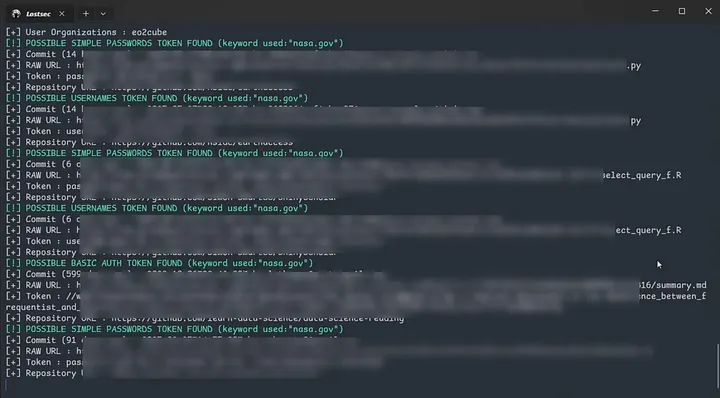
Using TruffleHog for Deep Secret Scanning
TruffleHog is another powerful tool for hunting secrets in code repositories. Here's how to use it:
18Scan a local Git repository
trufflehog git file:///home/user/my-repo19Scan a public GitHub repository
trufflehog git https://github.com/username/repo.git20Scan with filtering results to verified and unknown only
trufflehog git https://github.com/trufflesecurity/test_keys --results=verified,unknown21Scan and format output as JSON using jq
trufflehog git https://github.com/trufflesecurity/test_keys --results=verified,unknown --json | jq22Scan a GitHub repo including issue and PR comments
trufflehog github --repo=https://github.com/trufflesecurity/test_keys --issue-comments --pr-comments23Scan all repos in a GitHub organization
trufflehog github --org=nasa --token=yourgithubtoken24Scan a specific GitHub repo
trufflehog github --repo=https://github.com/username/repo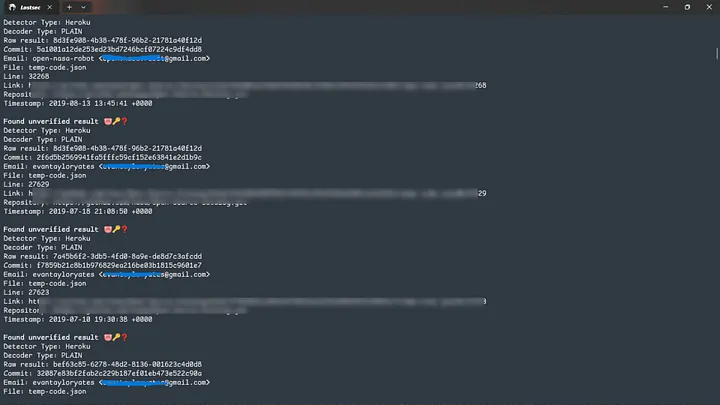
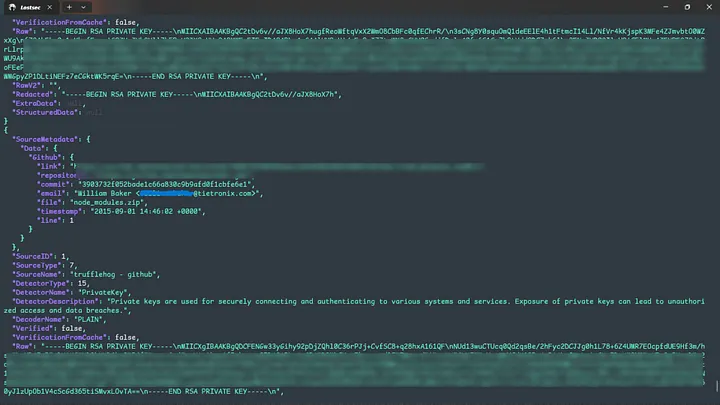
These TruffleHog commands help detect exposed secrets (like API keys, credentials, tokens) in Git repositories. You can scan local repos, GitHub repositories or entire organizations. Additional flags allow filtering results, parsing JSON and scanning comments in issues and PRs for deeper coverage.
Phase 6
Mass Hunting .git Directory Exposure
.git directories on public websites are another goldmine. Why? Because they store the entire source code history, including deleted but restorable files.
Using Nuclei Private Template
25Scan domains for exposed .git directories with Nuclei
cat domains.txt | nuclei -t gitExposed.yaml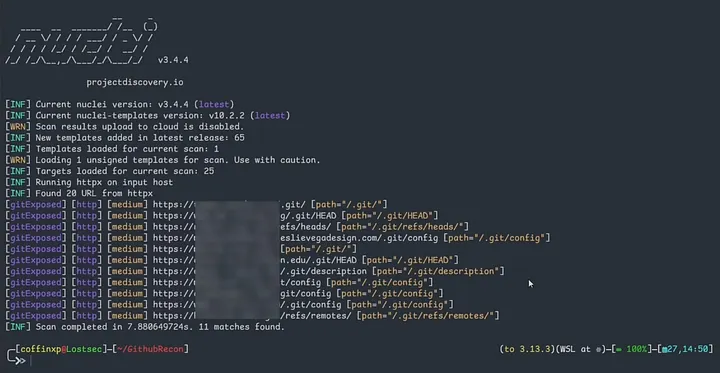
Find Exposed .git Repositories with httpx-toolkit
26Basic .git path probe on subdomains
httpx-toolkit -l subs.txt -path /.git/ -mc 20027Full .git probe with status, server, and content matching
cat domains.txt | httpx-toolkit -sc -server -cl -path "/.git/" -mc 200 -location -ms "Index of" -probe28Pipe successful results into .git probing
cat domains.txt | grep "SUCCESS" | gf urls | httpx-toolkit -sc -server -cl -path "/.git/" -mc 200 -location -ms "Index of" -probe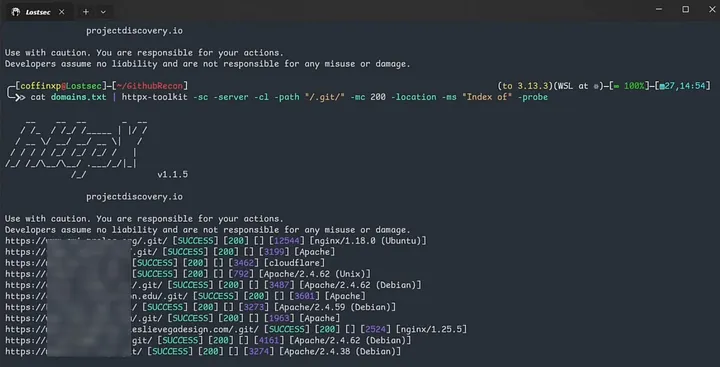
Instantly Detect Git Leaks with Browser Extension
Install the .git browser extension. It automatically alerts you if any site exposes its Git repository, helping you quickly spot misconfigurations and potential attack surfaces during recon.
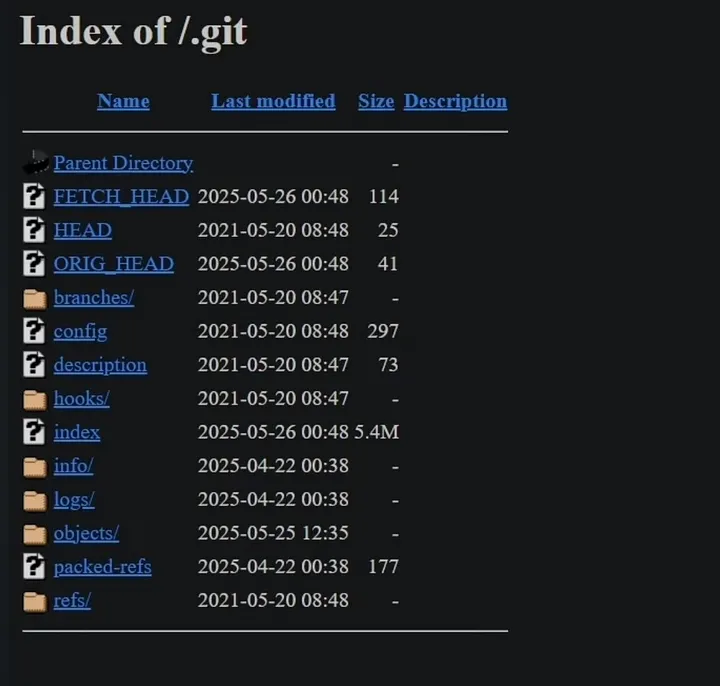
Tip: Even if a site returns a 403 Forbidden for /.git/, don't give up — some Git files might still be accessible. Use tools like GitDumper to attempt extraction and reconstruction of the repository.
Dumping Git Repositories
Once you've identified a valid .git/ folder using the methods above, it's time to dump the repository contents. Use tools like GitTools, git-dumper or git-extractor to recover exposed files and inspect the source code.
29Dump .git contents with gitdumper
./gitdumper.sh https://domain.com/.git/ outputdir30Alternative .git dumper
git-dumper https://domain.com/.git/ outputdir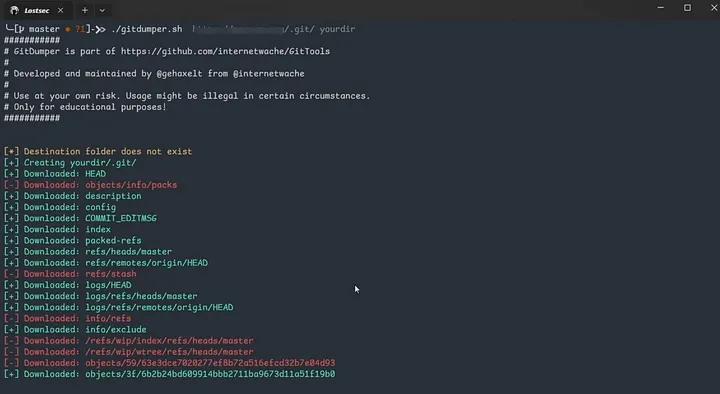
Restoring Deleted Files and File Structure Review
After dumping the .git folder the next step is to rebuild the full file structure. This helps uncover deleted files, sensitive data and historical changes that may still exist in the Git history.
Bash
cd output_dir
git status
git restore .
git checkout .
You can also watch this video where I showed the complete practical of this method:
Watch Practical DemoConclusion
GitHub recon and .git hunting — double trouble for insecure developers. With the right keywords, tools and validation strategies, you can uncover serious vulnerabilities often before anyone else leading to high-impact findings and well-paid bounties.
Tools